
Adjustment Program Epson L3216 L1210 L1250 L3210 L3250 L3256

Epson L3216 L1210 L1250 L3210 L3250 L3256 - the error lights are blinking on the printer itself. And a window pops up on the computer with the message "A window pops up on the computer with the message 'Maintenance required. Please contact a service center'"
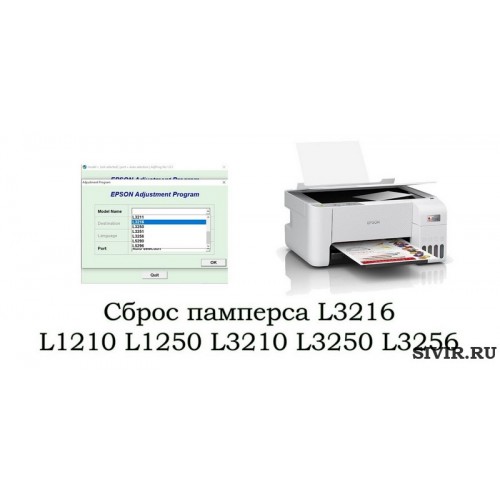
The program successfully resets the waste ink pad counter on models: L3216 L1210 L1250 L3210 L3250 L3256
To reset the waste ink pad, you need the Adjustment Program - specifically for Epson L3216 L1210 L1250 L3210 L3250 L3256, as other versions do not reset the error. (works only on Windows)
If you have an L3200 - select L3210 in the model list.
The program is finicky. It's not easy to download and open. Your antivirus will complain about it, saying it's a virus. But the program has been tested many times and does not harm the computer. If you follow the instructions exactly - you will be able to reset the error yourself.
Reset instructions:
Preparation:
- The printer must be connected via a USB cable to a computer/laptop running Windows.
- The print queue must be cleared.
- Disable your antivirus, if you have one installed
- Disable Windows Defender
Run the AdjProg.exe file.
In the Select menu - choose the required printer model

In the Port field, you need to select the USB port. In parentheses after the USB port, the printer model should be indicated, as shown in the picture:

The next step - press Particular adjustment mode

In the large list of lines, find Waste ink pad counter

In the window that appears, you need to check 3 boxes: Main pad counter, Platen pad counter, Ink System counter (this model has 3 waste ink counters at once, they need to be reset when full)

The next procedure - press the Check button. A window will appear showing the percentage of counter fill. One of them should be 100%

10. Select the item with the number 100% and reset it by clicking the Initialize button

The final step is to simply turn the printer off and on again. The device should go into ready status.
After resetting the error, you can continue printing. At the same time, it is recommended to replace the waste ink absorber - the "pad". It is changed within 5-10 minutes by unscrewing one screw on the back of the printer. You can buy a waste ink absorber on AliExpress via the link https://alli.pub/7508d3?erid=2SDnjdVarHS (Advertisement: OOO "ALIBABA.COM (RU)" Tax ID/Registration number: 7703380158)
If you succeeded - congratulations, you don't need to drag the printer to a service center and overpay each time.
Просмотров: 2936
Если что-то не получилось - поможем сбросить ошибку удаленно
(вам нужно подключить принтер usb проводом и установить программу Rudesktop с сайта rudesktop.ru/)
Вы можете оформить заявку здесь:
ОФОРМИТЬ ЗАЯВКУ